
Blog
July 9, 2026
JDK 8 and JDK 11 End of Life: EOL Dates and Extended Support Options

Java,
Security
JDK 8 and JDK 11 may be legacy releases, but they continue to power a significant portion of enterprise Java workloads. According to the 2025 Java Developer Productivity Report, 67% are still running one of these two LTS versions in production — making end-of-life planning one of the most important infrastructure decisions facing Java teams today.
The challenge is that "JDK end of life" is not a single date. Support timelines vary depending on which OpenJDK distribution you're running. As a result, many organizations are already running beyond their vendor's support window without realizing it.
In this blog, we'll cover JDK 8 and JDK 11 support timelines, explain what happens after support ends, discuss upgrade paths to JDK 17, JDK 21, and JDK 25, examine the hidden risks of Java embedded in operating systems and containers, and review your options if an immediate migration is not feasible.
Key Takeaways
- JDK 11 has already reached end of life for several major vendor distributions.
- Red Hat support for OpenJDK 8 ends on November 30, 2026.
- End of life does not stop Java applications from running, but it does stop security patch delivery.
- JDK 21 is typically the best migration target for organizations moving off JDK 8 or JDK 11 because it provides a longer support horizon than JDK 17 while introducing major performance improvements through Virtual Threads.
JDK 8 and JDK 11 End of Life Timeline
| Java Version | Key Support Milestone | Status |
| JDK 8 | Red Hat support ends November 30, 2026 | Support ending soon |
| JDK 11 | Red Hat support ended October 31, 2024 | Standard support ended |
| JDK 17 | Current LTS | Supported |
| JDK 21 | Current LTS | Recommended migration target |
| JDK 25 | Latest LTS | Long-term modernization option |
What Does JDK End of Life (EOL) Mean?
JDK end of life refers to the point at which a vendor stops providing regular security updates, bug fixes, and technical support for a specific Java version.
Importantly, end of life does not mean your applications stop working. Applications typically continue running exactly as they did before. The difference is that newly discovered vulnerabilities, defects, and compatibility issues may never be fixed unless you upgrade or purchase extended support.
For enterprise environments, this creates a growing security, compliance, and operational risk profile that increases over time.
Back to topWhy Are So Many Organizations Still Running JDK 8 and JDK 11?
Java 8 and Java 11 earned a reputation for stability and predictability. Both are Long-Term Support releases that benefitted from years of vendor investment, framework validation, and production hardening.
Many enterprise applications were certified specifically against Java 8 or Java 11. This is particularly common in:
- Banking platforms
- ERP systems
- Healthcare applications
- Government systems
- Commercial software products
Running an older Java version is often not a sign of negligence. Instead, it reflects the reality that upgrading the JVM frequently requires coordinated upgrades across frameworks, application servers, middleware, security tooling, and business-critical software.
Java's ecosystem also contributes to this challenge. The 2026 State of Open Source Report found that keeping up with Java version upgrades and long-term support requirements are among the most significant challenges for Java teams. Modern frameworks and libraries continuously raise minimum supported Java versions, forcing organizations into an ongoing migration cycle.
Back to topWhat Happens After JDK 8 or JDK 11 Reaches End of Life?
Nothing crashes immediately after end of life. Your applications continue running. That is precisely what makes EOL runtimes risky.
However:
- CVE patches stop arriving: Newly discovered vulnerabilities go unaddressed in your runtime indefinitely
- Compliance frameworks create friction: PCI-DSS, SOC 2, HIPAA, FedRAMP, and ISO 27001 all require documented patch management; defending an EOL runtime to auditors becomes progressively harder
- Container base images go stale: Docker Hub's
openjdk:11images were deprecated before community EOL and contain known vulnerabilities baked in - Dependency drift accelerates: Libraries and frameworks drop support for older Java versions, quietly degrading the software around your frozen runtime
Unfortunately, organizations often discover these issues only during audits, security reviews, or after a newly disclosed CVE affects their environment.
Back to topWhat Security and Compliance Risks Come With Running an Unsupported JDK?
An unsupported Java runtime can create challenges for organizations subject to regulatory or security frameworks.
Common concerns include:
- PCI-DSS vulnerability management requirements
- SOC 2 security controls
- HIPAA security obligations
- FedRAMP and NIST 800-53 requirements
- ISO 27001 controls
- Internal cybersecurity governance standards
As the time since end of life increases, justifying an unsupported runtime becomes increasingly difficult, particularly when supported alternatives exist.
Back to topHow to Find Out Which JDK Version Is Running In Your Environment
Before planning a migration, determine what is actually running.
The simplest place to start is:
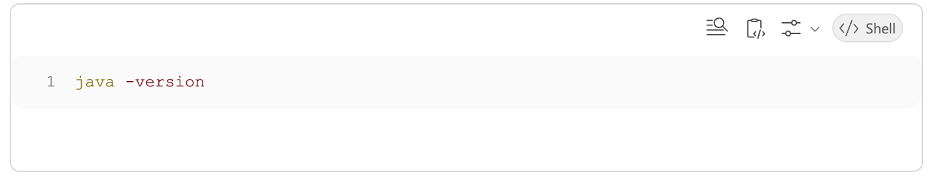
Run this across your physical servers, virtual machines, Kubernetes clusters, container images, CI/CD build runners, and developer workstations.
Many organizations discover multiple Java versions and distributions operating simultaneously.
Back to topThe Hidden Risk of JDK Versions Embedded in Operating Systems and Containers
One of the most overlooked Java lifecycle risks is that Java often arrives through operating system packages or container images. For example, Linux distributions ship OpenJDK as a default or easily installable package via apt install default-jdk or yum install java-11-openjdk. Container base images frequently bundle a specific JDK version at build time; if that base image is not refreshed, the JDK version is frozen regardless of what your team is tracking.
Because these deployments are not always managed directly by application teams, unsupported versions can persist long after support ends.
Why Your Operating System May Determine Your Java Support Lifecycle
Your operating system lifecycle and your Java lifecycle are not always the same.
An organization can have a fully supported operating system while unknowingly running an unsupported JDK. Likewise, a supported JDK may outlive the operating system beneath it. That's why tracking both lifecycles independently is essential.
Back to topEvaluating Upgrade Paths to JDK 17, JDK 21, and JDK 25
The best long-term solution is upgrading to a currently supported LTS release. The question is which one.
Why JDK 21 Is the Best Upgrade Target for Most Organizations
JDK 17 remains a popular migration destination, but JDK 21 offers a longer support runway and several important platform enhancements. Notable additions include:
- Virtual Threads (Project Loom) Watch a demo
- Record patterns
- Sequenced collections
- Pattern matching for switch
- Generational ZGC improvements
For most organizations beginning a migration project in 2026, JDK 21 provides the strongest balance of maturity, support longevity, and feature improvements.
Back to topCommon Challenges When Upgrading From JDK 8 or JDK 11
Most upgrade projects are delayed by application dependencies — not the JVM itself.
Common blockers include:
- Removed JAXB, CORBA, and JAX-WS modules
- Stronger encapsulation of JDK internals
- Legacy versions of Lombok, Mockito, and Byte Buddy
- Spring Boot 3.x and Spring Framework 6.x migrations
- The transition from
javax.*tojakarta.* - Certified software platforms locked to older Java versions
- Hidden dependency conflicts surfacing as
NoSuchMethodErrororClassNotFoundExceptionat runtime
Before upgrading, organizations should:
- Run
jdeps --jdk-internals - Audit all direct and transitive dependencies
- Stage migrations through development, testing, and canary environments
- Budget time for unexpected dependency issues
Migration Support
Migrate Seamlessly to a Supported JDK
OpenLogic Enterprise Architects work as an extension of your team to remove blockers, solve dependency conflicts, and thoroughly test and validate your JDK upgrade.
Options For Teams Still Running JDK 8 or JDK 11
There are three primary options to mitigate your risk:
Option 1: Upgrade to JDK 21
The preferred long-term solution, but also the most resource-draining, as upgrading your JDK usually necessitates also upgrading frameworks, application servers, middleware, security tooling, and more.
Option 2: Obtain Extended Support
Several vendors provide support beyond standard end-of-life timelines. OpenLogic also provides enterprise OpenJDK support, migration assistance, and long-term support across related Java infrastructure, including Spring and Tomcat.
Option 3: Document Risk Acceptance
This should only be a temporary strategy with formal approval, compensating controls, and a clearly defined migration timeline.
Back to topCreate a JDK Upgrade Plan Before Support Ends
JDK 8 and JDK 11 continue to power a majority of enterprise Java workloads, but support timelines are steadily closing. JDK 11 has already passed key support milestones, while JDK 8 support deadlines are approaching quickly for many organizations. The worst outcome is discovering your exposure only after an audit, security review, or vulnerability disclosure forces action.
Remember that obtaining extended JDK support is only one part of the equation. The actual applications you run with it are likely built with framework and library versions that have themselves reached end of life — dramatically expanding your total security surface area. Any plan you create should include security scans of the applications you run in JDK, and processes for remediation or patching (which itself may come from commercial LTS programs as well). Simply put, the longer you wait, the more effort it will take to keep your application secure.
Recommended Next Steps
- Inventory every Java runtime in your environment.
- Identify the vendor build associated with each installation.
- Compare those installations against published support timelines.
- Assess migration readiness, including framework and dependency compatibility.
If migration isn't immediately feasible, evaluate enterprise OpenJDK support options before support gaps become operational risks.
Technical Support
SLA-Backed Support for Java, Tomcat, and Spring
Your Java stack is in good hands with OpenLogic. From free OpenJDK downloads and upgrade services to 24/7/365 support and LTS, our experts can keep your applications running smoothly.
JDK 8/11 EOL Frequently Asked Questions
Is JDK 8 still supported?
Some vendors continue offering support for Java 8 through 2030 and beyond, while other support programs expire much sooner. Amazon Corretto 8 support ended in May 2026 and support for Red Hat's JDK 8 build expires on November 30, 2026.
When is JDK 11 end of life?
There is no single JDK 11 EOL date, but several major distributions of JDK 11 have already crossed, or are approaching, support deadlines. For example, standard support for Red Hat’s OpenJDK 11 ended in 2024 so only those paying for an ELS subscription are covered until October 2027. Eclipse Temurin and Microsoft JDK 11 support also ends in 2027.
What happens if I continue using Java 8 after EOL?
You can continue running Java 8 after public support ends, but doing so increases operational and security risk over time. As new vulnerabilities, bugs, and compatibility issues are discovered, unsupported environments may no longer receive updates to address them. Organizations that remain on Java 8 typically either purchase extended support from a vendor or adopt a third-party long-term support (LTS) solution while planning a migration. The longer systems remain on an aging platform, the more difficult and costly future upgrades can become.
Should I migrate directly from Java 8 to Java 17 or Java 21?
In many cases, organizations choose Java 17 or Java 21 because they are Long-Term Support (LTS) releases. The best target version depends on application dependencies, framework compatibility, business requirements, and internal testing results.
What is the difference between Java 17, Java 21, and Java 25?
Some of the key changes in each JDK release are as follows:
JDK 17 (2021, LTS): Sealed classes, finalized pattern matching for instanceof, stronger JDK internal encapsulation (started in JDK 9), removal of the Security Manager, removal of the Applet API — and a licensing change for Oracle's distribution (free use ended October 2024). Related webinar: A Look at Java 17 and Beyond
JDK 21 (2023, LTS): Virtual threads (Project Loom) — a transformational improvement for high-concurrency workloads; record patterns; sequenced collections; generational ZGC; pattern matching for switch finalized; Oracle's free license ends September 2026.
JDK 25 (2025, LTS): Enhanced pattern matching with primitive types; module import declarations; further performance and language simplification; Oracle Premier Support through September 2030.
How difficult is it to migrate from Java 8 to a newer version?
Migration complexity varies. Applications with minimal dependencies may require limited testing, while large enterprise environments often need framework upgrades, dependency validation, code remediation, and comprehensive regression testing.
Will my existing applications work on Java 17 or Java 21?
Many applications can run successfully after testing and minor updates, but compatibility issues may arise with older libraries, frameworks, build tools, or deprecated APIs. A thorough assessment is recommended before migration.
What tools can help with a Java migration?
Common tools include:
- OpenRewrite
- Eclipse Transformer
- Maven and Gradle dependency analysis tools
- Static application scanning tools
- Vendor-provided migration assessment tools
Can I stay on Java 8 or Java 11 without upgrading?
Yes, but organizations should have a clear strategy for obtaining ongoing security updates and support. Many enterprises choose commercial or third-party support while planning a future migration.
How does Java EOL impact security and compliance?
Unsupported Java versions may fail internal security policies, regulatory requirements, or software supply chain governance initiatives because critical vulnerabilities may no longer receive fixes.
How do I know if my organization is still running Java 8 or Java 11?
Many organizations are surprised to discover just how many Java runtimes exist across their environment.
Common inventory methods include:
- Scanning servers and virtual machines for installed JDKs and JREs
- Reviewing container images and Kubernetes deployments
- Analyzing CI/CD pipelines and build configurations
- Using software asset management and vulnerability scanning tools
- Reviewing application server configurations
- Conducting dependency and runtime assessments across business-critical applications
A complete inventory should include on-premises systems, cloud workloads, containers, and third-party applications that may bundle their own Java runtime.
What is the latest LTS version of Java?
As of 2026, Java 25 is the most recent Long-Term Support (LTS) release. Earlier LTS releases include Java 21, Java 17, Java 11, and Java 8.
When selecting an LTS version, organizations should evaluate:
- Vendor support availability
- Ecosystem compatibility
- Application certification requirements
- Internal modernization goals
Many enterprises choose between Java 17, Java 21, and Java 25 depending on their upgrade cadence and technology roadmap.
Can I get support for Java 8 after Oracle support ends?
Yes. While Oracle's public support timeline may have ended, several vendors offer commercial support and long-term maintenance options for Java 8. These solutions can provide security patches, bug fixes, and technical assistance beyond the original end-of-life date.
This approach allows organizations to reduce immediate risk while developing a migration strategy, although it should generally be viewed as a transitional measure rather than a permanent solution.
Additional Resources
- Webinar - Modernizing Your Java Application With Open Source
- Blog - State of Open Source: Java Ecosystem Trends and Challenges
- Blog - Spring Boot 4.0 Migration Guide
- Guide - OpenJDK Migrations, Support, and Expert Advice
- Blog - Untangling Spring Dependencies in Legacy Environments
- Solution - Spring Long-Term Support (LTS)
- Solution - Tomcat Long-Term Support (LTS)
- Forrester Report: Weighing Your Options for Java Support